Record or import
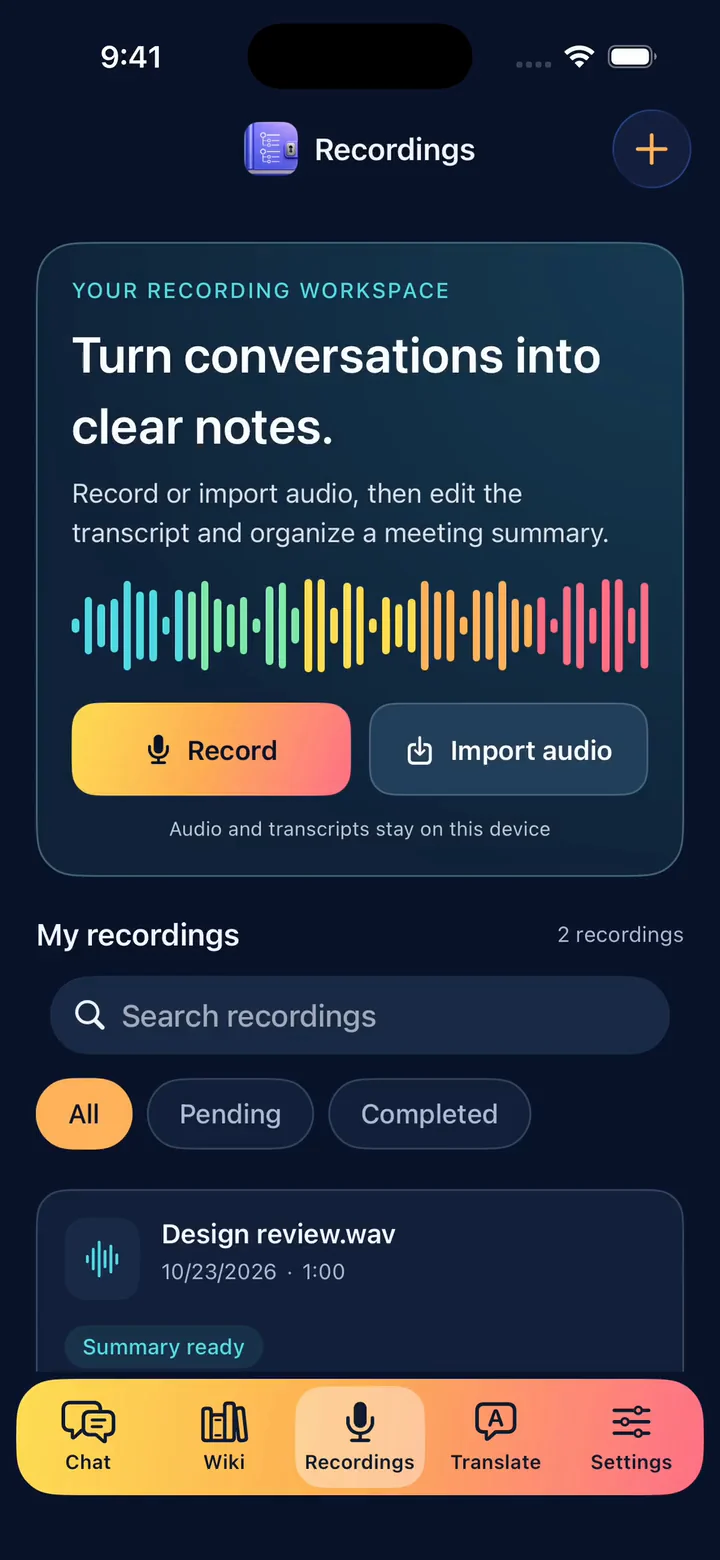
Record in the App or share an audio file from another App into the dedicated recordings tab.
1.0.5 is here
Turn recordings into editable transcripts. See the paragraph playing, listen while you edit, and save your changes. Revisit source highlights with playback timestamps. Process locally on iPhone after downloading the models.
Free download · No account required · Initial model download required
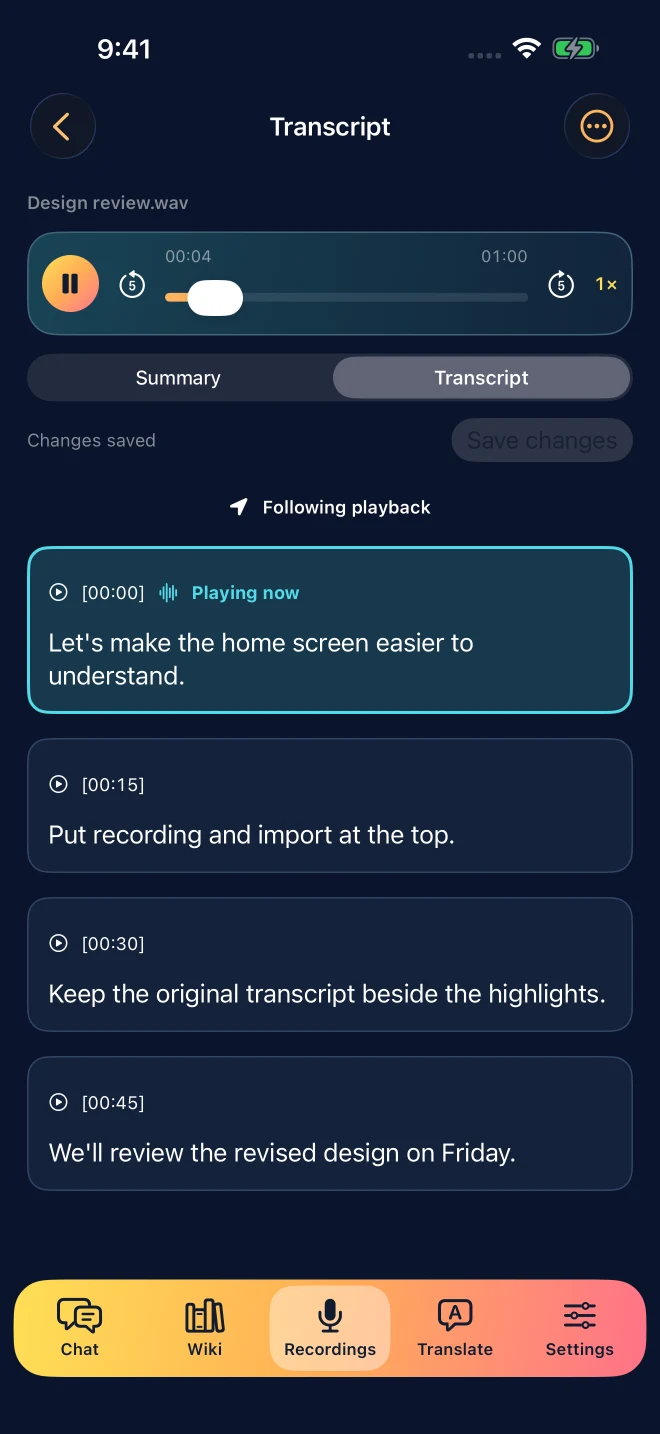
Listen while you editAudio and words in one workspace
Hear the sourceHighlights with playback timestamps
Keep controlAdd to your knowledge base when ready
See how playback, transcript editing and export fit together in one workspace.
English demo · 1.0.6 preview
This video previews version 1.0.6, pending its App Store release. The new Share / Export entry is not yet in the public 1.0.5 release.
No switching between a player and a note. Play, read, edit and save in the transcript workspace.
The current paragraph is marked. Scrolling or editing pauses following; return to the playback position when ready.
Use the expanded text editor to correct your transcript while listening. Explicitly save your changes when finished.
The original transcript and your edited version are preserved for reference.
Keep the source in view. You choose when to start and what to keep.
Record in the App or share an audio file from another App into the dedicated recordings tab.
The source is saved first. You start transcription; the first use prompts you to download the speech model.
Follow the current paragraph, correct the text while listening, and save when ready.
AI selects original passages, with playback timestamps so you can check them again.
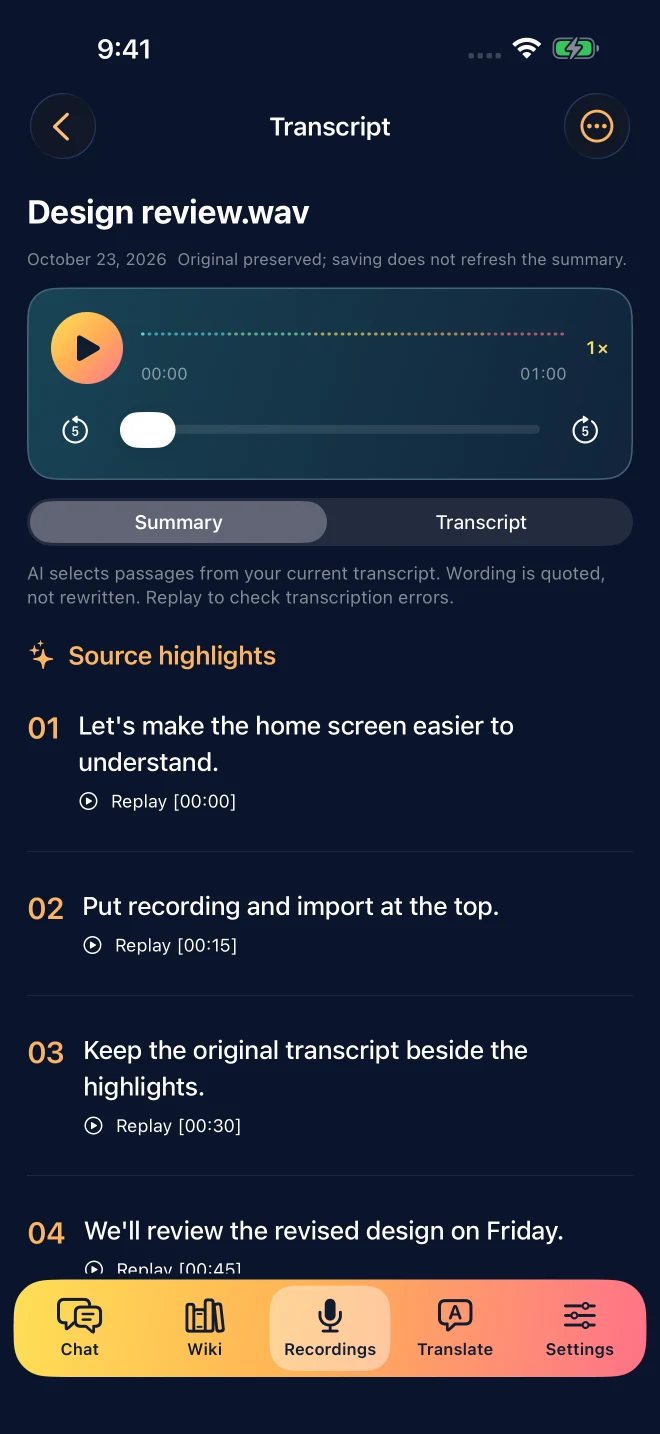
AI picks passages worth revisiting and quotes the transcript directly, with playback timestamps. Recognition errors still need checking; the highlights preserve source wording.
Audio, transcripts and highlights stay in the local recordings workspace. Only your explicit choice adds them to the knowledge base. Chat and recordings remain separate.
Transcription and highlight selection run on your device. Audio and transcripts are not uploaded to a cloud AI for processing.
The initial model download needs a connection. Once the models are ready, transcribe and organize highlights offline. External links, web search and App Store purchases still need internet access.
Listen back, correct names and terms, and revisit important passages through source highlights.
Turn recordings into readable text you can review and listen to again.
Add material after reviewing it, search saved content and return to its source.
Keep conversations and shared links in chat, alongside the knowledge you have saved.
Models run on your iPhone. Check system compatibility and leave enough available storage.
| Device | iPhone 14 or later |
|---|---|
| System | iOS 26.4 or later |
| Model storage | About 1.7–3.6 GB depending on the selected model; speech models and working files need additional space |
| First setup | Wi-Fi recommended for downloading models |
| Plans | Free download with non-renewing Pro purchases |
Yes. Play the recording in the transcript view, edit the text and save when finished. The current paragraph is marked. Editing or manual scrolling pauses following; you can return to the playback position. The original transcript is preserved.
Audio goes directly to the recordings/transcripts tab. The file is saved first, and you explicitly start transcription. It does not create a chat conversation. Shared links still open in chat preview.
No. Completed recordings, transcripts and source highlights stay in recordings. They enter the knowledge base only when you choose to add them. The recording workspace retains its copy.
Download the required models while connected first. Once ready, you can transcribe, select highlights and read saved content offline on your device. External links, web search and App Store purchases require a connection.
The free plan includes 10 chats per day, 5 successful text or voice translations per day, and transcription of audio files up to 10 minutes each. Active Pro removes those paid limits; device and source constraints still apply.
No. Taiwan App Store pricing is NT$90 for one calendar month or NT$990 for one year. You choose whether to purchase again when it expires. Prices and availability depend on your local App Store. Existing lifetime buyers and eligible early paid users retain their entitlements.
Record, listen, edit and save with LocalBrain AI.